Inspection reports, captured at the bench
Verified replaces the paper inspection sheet and the spreadsheet behind it. Inspectors follow a guided form on an iPad or laptop, rules decide the result, and every report ends as a branded PDF you can send your customer.
How it works
Build or pick a form
Start from the inspection you run today. We set it up with you, or your team builds it in the Form Builder.
Inspect on the iPad
Inspectors work through the form one section at a time at the bench, taking photos on the same device. Answers save as they go.
Send the PDF
Submit, and the report becomes a branded PDF with photos and the part's identifiers on every page, ready to email from the app.
What an inspection looks like
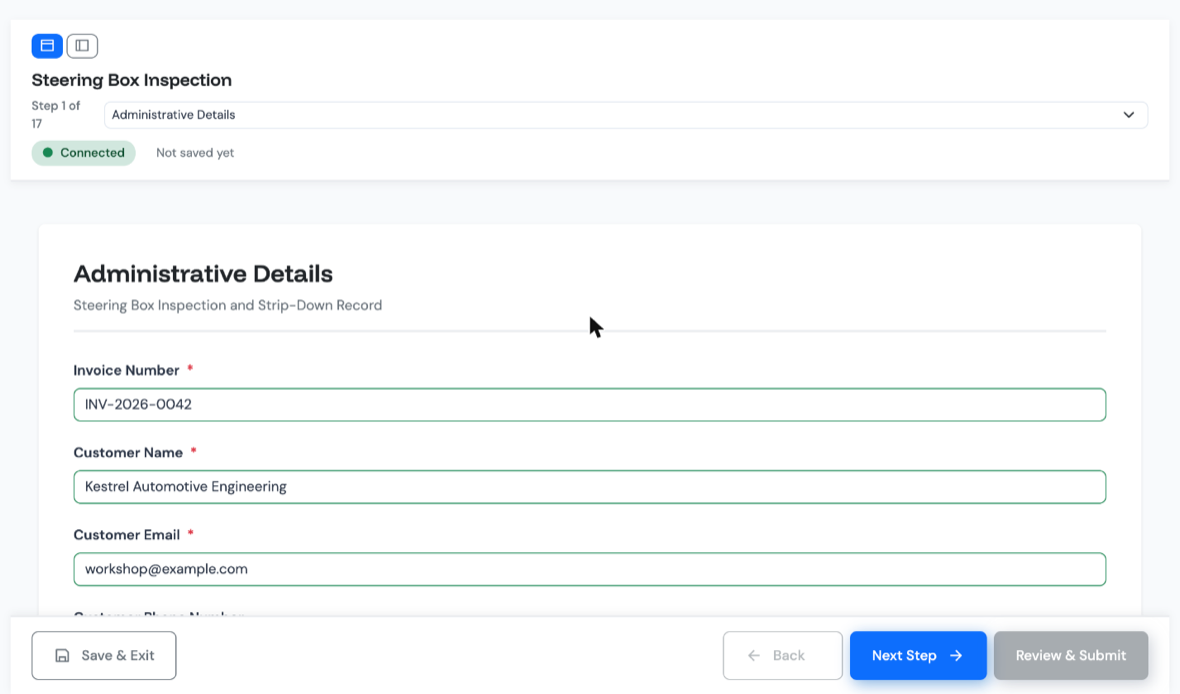
Each inspection runs as a series of steps, one section of the form at a time, on an iPad or in a laptop browser. Each step can carry instruction text and reference photos of what correct looks like, so the standard sits next to the part being checked.
Photos taken where the work is
Inspectors photograph the part on the device they are inspecting with. iPhone and iPad photos are converted and downscaled in the browser before upload, so they arrive quickly on a workshop connection. Each photo field can set a minimum and maximum number of photos.
Sections that cannot be skipped
Mandatory fields block progress, so a section cannot be left until it is complete. The server checks the same rules again at submit, so a report cannot be finished around them.
Saved as you go
Every answer saves automatically and drafts resume where they were left. A dropped connection on the shop floor does not lose the work.
Rules decide, not prose
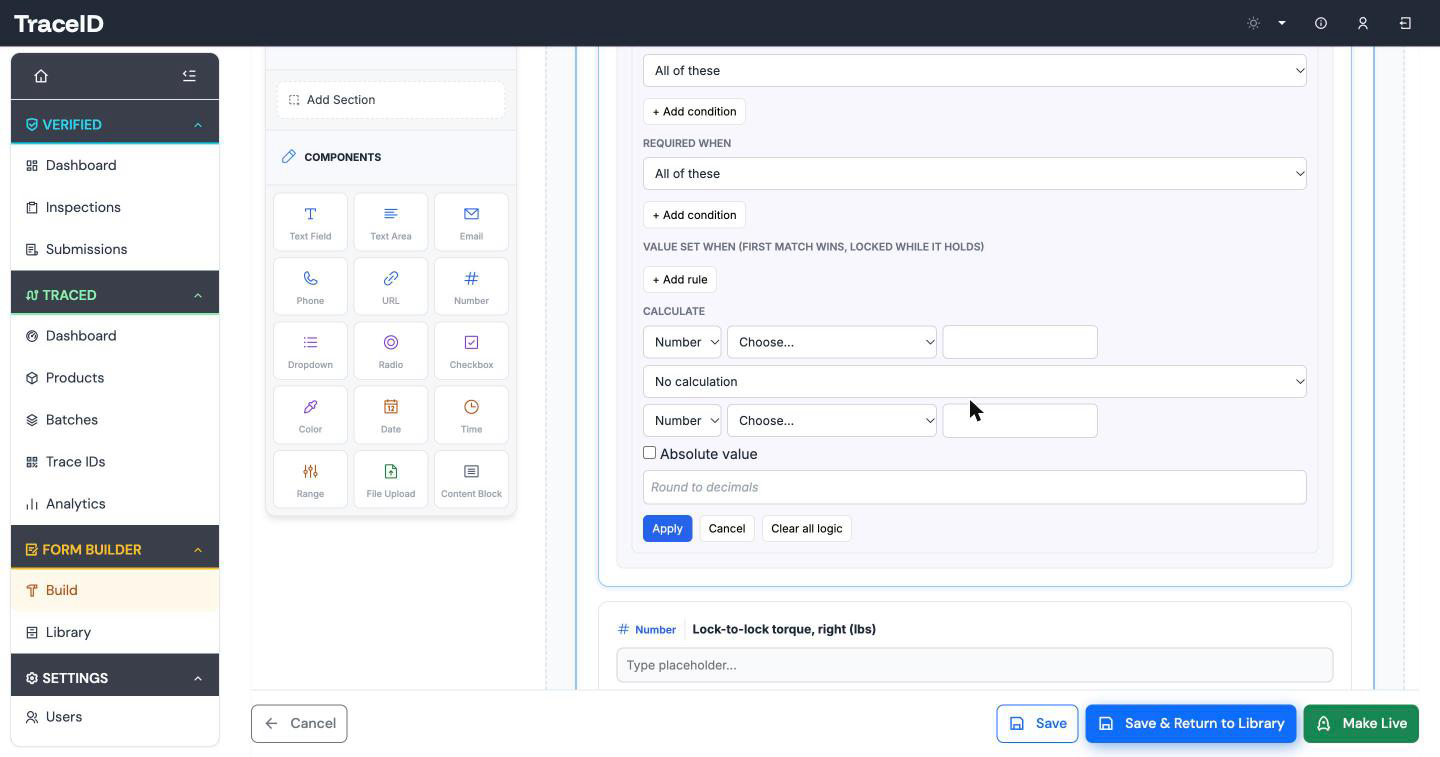
Write the rule once, in the form, and every inspector gets the same answer. Verified can show a question only when it applies, make a field required when an earlier answer calls for it, set a value automatically, and calculate a result and check it against a tolerance. Conditions combine with and/or and can be nested.
The server is the authority. A rule that would break the form is rejected when the form is saved, and every answer is checked against the rules at submit.
A worked example: a trim test
On a steering-box trim test the inspector enters two lock values. The form calculates the difference and checks it against a 6 lbs tolerance. Outside tolerance, the status is set to Red automatically with the reason already selected, and the inspector cannot override it.
| Left lock | 21.0 lbs |
|---|---|
| Right lock | 28.5 lbs |
| Difference, calculated | 7.5 lbs |
| Tolerance | 6 lbs |
| Status, set by rule | RED |
| Reason, preselected | Valve out of trim |
Example values.
Red, Amber, Green
Status fields carry a Red, Amber or Green result. The report takes the worst status present, so one Red part makes a Red report and nobody has to remember to downgrade it.
Back in the office, the submissions list filters by form, date, status and RAG colour, and search looks inside the answers too. The Verified dashboard charts the last 30 days.
| Input shaft bearing | GREEN |
|---|---|
| Sector shaft | GREEN |
| Housing bore | AMBER |
| Trim test | RED |
| Overall report status | RED |
Example values.
Job references and pinned identifiers
Every report gets an automatic job reference, numbered per account, such as DEMO-000054. Nobody has to keep a ledger of the next number.
Identifiers you choose, such as a serial number or a vehicle registration, are pinned to the top of every step, so the inspector always knows which unit they are recording. The same identifiers repeat as a running header on every page of the PDF, for example DEMO-000054 · SN SB-20931, so a loose page is never anonymous.
Branded PDF reports
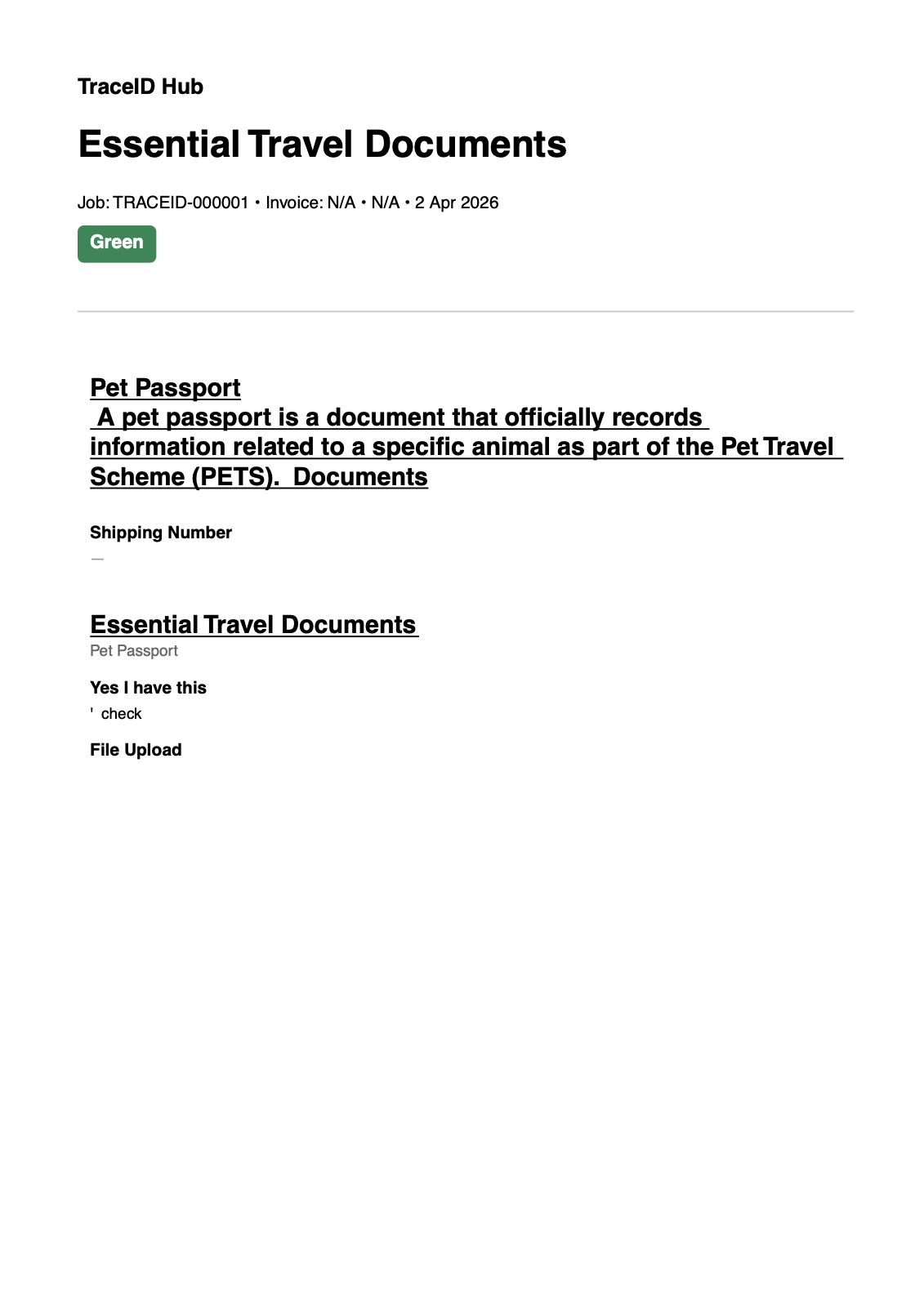
A submitted report becomes a PDF in your branding: your logo, embedded photos, the identifier header on every page and a footer.
Send it to your customer from the app. Emails are rate-limited and every send is logged, so you can show who was sent which report and when.
Revisions with a reason
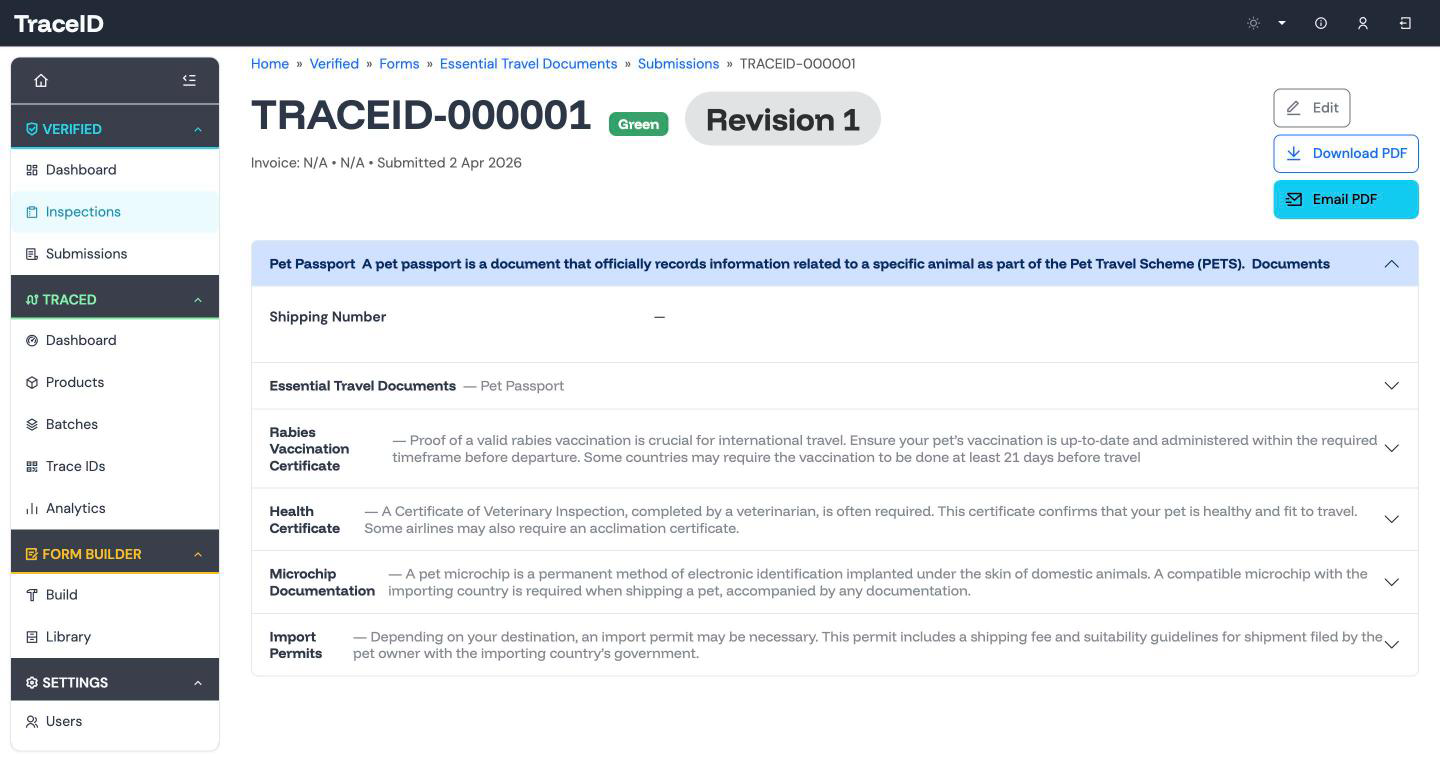
A signed-off report is never edited in place. A correction is made on a working copy that nobody else sees until it is committed, and it cannot be committed without a reason. Verified records the field-level difference between versions.
Every revision can be produced again as its own PDF, and anyone who was sent an earlier copy is flagged as holding an out-of-date version.
Archive, not delete
Reports are archived with a reason rather than deleted, so the record of what happened stays complete. An insert-only audit log records every action with its time, IP address and request.
Form versions
Forms are versioned. When a form changes, reports already in progress finish on the version they started, and new reports use the new one.
Form Builder
Forms are built in TraceID's own visual builder. You do not have to use it: we set up your first forms with you. When you want to change them yourselves, it is there.
Drag and drop
Build a form from 15 field types, add instruction text and reference images as content blocks, and mark fields as status results or pinned header identifiers.
Logic panel
Set show-when, required-when and set-value-when rules, calculated fields and tolerance checks in one panel, with every change kept in the form's version history.
Form library
Keep draft and active forms in one library. Clone a form to start a variant, activate it when it is ready, archive it when it is retired, or upload a form as a JSON schema.
Who it is for
Verified is for UK engineering and manufacturing firms whose inspection records still live on paper or in spreadsheets: remanufacturers, overhaul and repair shops, precision engineers, and casting and machining firms. It suits the quality, engineering or operations manager who has to show a customer what was checked, by whom and with what result, without an IT department to build a system.
It is live on a UK shop floor. A steering-box reconditioning shop has recorded its inspections on Verified since December 2025. Read the case study.
Your team signs in with email and password, a six-digit email code, or Google or Microsoft single sign-on, and four role levels control who can do what. Verified also works alongside Traced, which gives each part a record and a QR code.
For defence suppliers
Supports the controls a defence supplier needs under DEFCON 658 and DEF STAN 05-138: role-based access, single sign-on, an insert-only audit log, encrypted storage in the UK, and controlled revisions with a recorded reason.
Frequently asked
Does Verified fit ISO 9001 and AS9100?
Verified keeps the kind of records a quality management system relies on. Each report is tied to the person who completed it, every action is in an insert-only audit log, signed-off reports change only through revisions with a recorded reason, and reports are archived rather than deleted. That supports the documented-information requirements (clause 7.5) that ISO 9001 and AS9100 expect a quality system to meet. Your auditor still judges your system as a whole.
Does it work offline?
Verified is resilient to dropped connections. Every answer saves automatically, and a draft can be closed and resumed later, so a patchy workshop signal does not lose work. It is not a full offline mode: submitting a report needs a connection, because the server checks it against the form's rules.
Who can edit a signed-off report?
Nobody edits it in place. A correction is a controlled revision: the change is made on a working copy, it cannot be committed without a mandatory reason, and Verified records the field-level difference as a new version. The original stays re-renderable as its own PDF, and anyone who was sent an earlier copy is flagged.
Where is our data hosted?
In the UK, on AWS in the eu-west-2 (London) region. Reports and photos are stored there.
Can we export our data?
PDF today; spreadsheet export is next on the roadmap. Every report, and every revision of it, can be produced as a PDF and emailed from the app.
See your inspection as a Verified form
Bring one inspection you run today, on paper or in a spreadsheet. We will show it to you as a guided form with rules, photos and a PDF report.